Visualizing Selling Points: How to Show Pain Points and Features on Camera in Product Videos (12 Shot Techniques + Category Cheat Sheet)
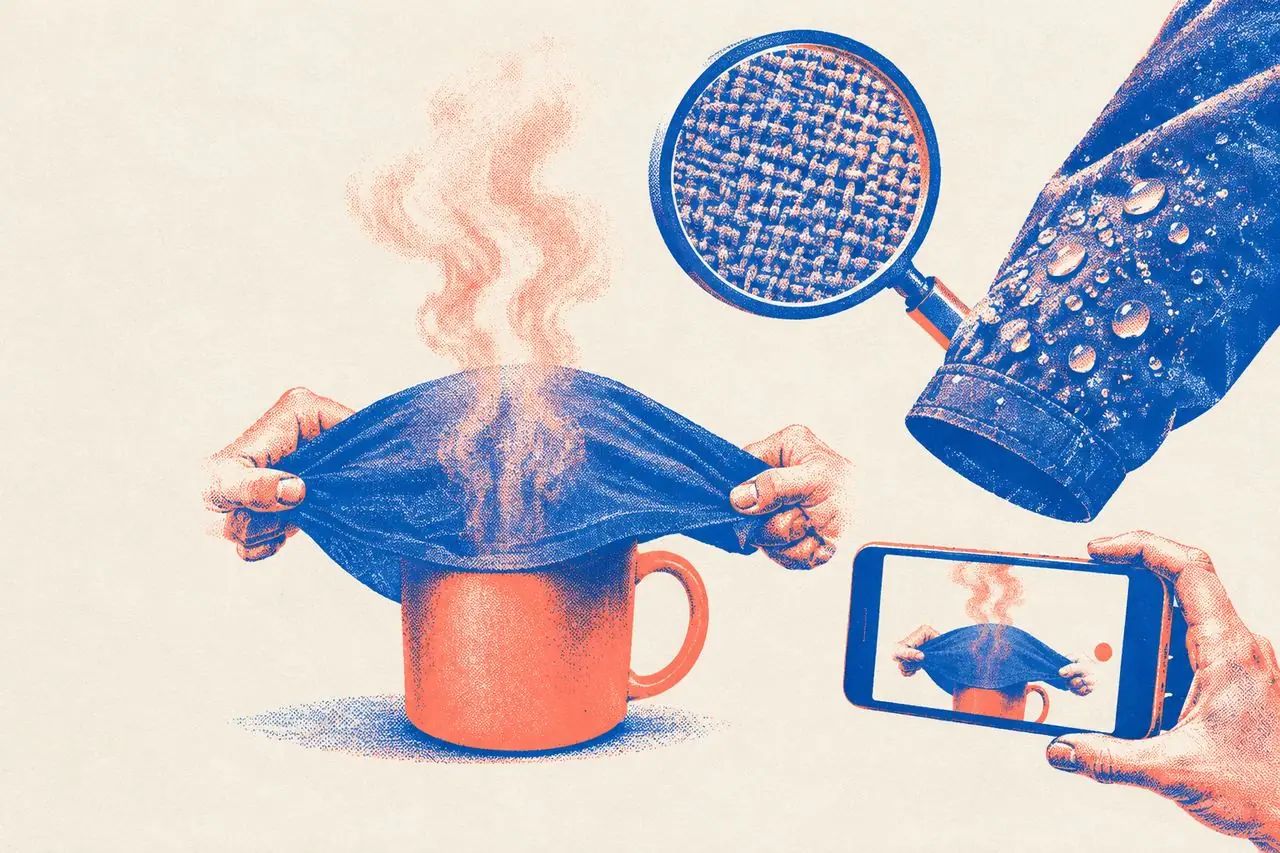
"This fabric is super breathable." Viewers have heard that line ten thousand times, and nobody is pulling out their wallet because of it. What actually gets people to buy is watching the host stretch the shirt over a mug of boiling water while steam rises straight through the weave. When a product video falls flat, it's rarely because the copy wasn't clever enough. Usually, it's because the selling point was only said out loud, never seen on screen. Here is how to translate abstract product claims into shots viewers can verify with their own eyes.
1. The Core Rule: Saying It Is a Claim; Showing It Is Proof
Viewers scroll past ads with their guard up. Words like "breathable," "durable," or "non-stick" coming out of a host's mouth are just claims. What happens inside the frame is proof.
Whether you can film a selling point comes down to how you answer one question:
- "Breathable" → Steam passes straight through it.
- "Waterproof" → Water beads up and rolls right off instead of soaking in.
- "Heavy-duty" → A grown adult can stand on top of it without it buckling.
- "Slimming" → Side-by-side on the same person, the waistline sits visibly higher and tighter.
- "Helps you sleep" → Sounds too abstract to film? Shoot "head hits the pillow → breathing slows down after three seconds → hand reaches out and clicks off the lamp."
If you can't come up with a visible physical change, either the selling point is pure fluff or you need to reframe it until you can point a camera at it.
2. 12 Ways to Make Selling Points Visual
A. Proof Shots (Making Viewers Believe "It's Real")
1. Extreme Stress Tests Push the product way past normal daily use: fill an insulated tumbler with boiling water and leave it in the freezer overnight; stand under a running shower head in a raincoat for a full minute; pack a backpack with heavy textbooks and shove it off a desk. When a product survives an extreme test, viewers automatically assume everyday use is a breeze. Keep in mind: shoot stress tests in one continuous take, or at least keep the critical action unbroken. Choppy jump cuts make people suspect you swapped the product mid-test.
2. Side-by-Side Comparisons Same exact conditions, generic product on the left, yours on the right. Drop a spoonful of soy sauce onto two white shirts, fry an egg in two pans at the same time, press two sponges into a bowl of water together. The golden rule is identical conditions—if you rig the test, viewers will call you out in the comments.
3. Destructive Testing Yanking, scratching with keys or a blade, stomping on it, folding it back and forth a hundred times. Built for categories where toughness sells: luggage, shoes, phone cases, and kids' toys.
4. Turning Numbers Into Everyday Objects Saying "30-liter capacity" means nothing to most people. Showing that it swallows "3 days of clothes + a pair of sneakers + a 15-inch laptop" clicks immediately. Translate dry specs into household items everyone recognizes, and pack them in one by one on camera.
B. Detail Shots (Showing Why It's Better)
5. Macro Close-Ups Stitching density, fabric weave, toothbrush bristles, the cross-section of food, non-stick coating grain. Macro shots let viewers inspect craftsmanship they wouldn't even notice holding it at arm's length, which immediately signals quality. How to shoot it: bring the lens 5–10 cm from the surface, rake a light from the side to bring out the texture, and pan slowly for 2–3 seconds.
6. Backlighting & Cross-Sections Hold food up against a light to show clarity, hold fabric against a window to show weave density, or slice a cake straight down the middle to reveal the layers. Cutting something open or holding it to the light is the fastest shortcut to proving what's inside.
7. Visualizing Touch Since viewers can't reach through the screen, translate texture into motion: press down and watch memory foam slowly rise back up, drag a fingernail across a matte shell so they hear the scratch, squeeze a silicone bottle flat and let it pop right back. Pair the shot with crisp close-mic audio and the tactile feel doubles.
C. In-Use Shots (Letting Viewers Picture Themselves Using It)
8. On-Body / In-Hand Motion Never shoot clothing standing stiff as a mannequin: walk toward the camera, spin around, sit down, raise your arms. Flat lays and static poses only show what a garment looks like on a hanger; motion proves how it drapes, stretches, and fits. A waistband that doesn't dig in when you sit down, or a hem that doesn't ride up when you reach overhead—static photos can never prove those points.
9. Before and After Before use → after use, with the exact same person, camera angle, and lighting. Ideal for cleaners, organizers, skincare, and repair tools. The make-or-break rule is that the product is the only variable. If the lighting or camera angle shifts between the "before" and "after," nobody buys it.
10. Acting Out the Pain Point Stage the exact everyday frustration: digging through a bottomless tote bag for keys while running late, hands freezing numb on a winter bike commute, a toddler kicking off the blanket at 2 a.m. When viewers recognize their own headache on screen, they stick around to see your fix.
11. First-Person Point of View (POV) Put the camera right where the user's eyes would be: looking down at your own shoes, reaching out to pop open a lid, looking straight down into a neatly divided desk drawer. POV shots slip the viewer right into the user's shoes and work wonders for simple, satisfying everyday tools.
D. Trust Shots (Proving It's Not Staged)
12. Real-World Receipts Factory assembly lines, raw material farms, lab testing rigs, or unpolished clips from real buyers. These don't need to linger—flashing 1–2 seconds of grounded real-world footage raises the credibility of the whole video.
3. Category Cheat Sheet
| Category | Core Selling Points | Go-To Shots | Common Traps to Avoid |
|---|---|---|---|
| Apparel | Fit, slimming cut, fabric | Walking/turning on body, sitting & raising arms, fabric macro, steam-through-mug test | Only showing flat lays and stiff standing poses |
| Beauty & Skincare | Results, texture, longevity | Half-face comparison, spreading texture on the back of the hand, water spray + tissue blot test | Changing the lighting between before and after shots |
| Food & Beverage | Texture, freshness, ingredients | Cross-section close-up, slow-mo cheese pull / juice burst, crisp chewing audio, holding up to light | Talking over the sealed package without showing the food inside |
| Home Goods | Load capacity, storage, comfort | An adult standing on it, before/after packing comparison, slow-mo cushion rebound | Only filming the tidy result without showing the mess before |
| Baby & Maternity | Safety, softness, convenience | Squeezing/kneading the material, rounded-corner macro, one-handed operation while holding a baby | Staging over-the-top dangerous scenarios just to scare parents |
| Outdoors | Waterproofing, warmth, durability | Shower head / rain test, real outdoor cold-weather shoot, tug and drop tests | Standing in a warm living room claiming "it keeps you warm at -20°C" |
4. Sequencing Your Shots in a 30-Second Video
For a standard 30-second product clip, line up your visual proof in this order:
1. 0–3s: Pain Point Scene (Scenario recreation) — Get the viewer to nod and think, "Yep, I hate when that happens." 2. 3–8s: Product Entrance + Lead Proof (Extreme test or side-by-side comparison) — Play your strongest card right away to earn trust. 3. 8–20s: 2–3 Secondary Selling Points (Macro close-up, on-body motion, tactile visual) — Give each point 3–4 seconds; one shot proves one thing. 4. 20–26s: Before-and-After or Real-World Context — Drive home the final payoff. 5. 26–30s: Price / Call to Action — Now that they believe the product works, talk price.
The golden rule: lead with your hardest-hitting proof. Too many creators save their best stress test for the final 5 seconds—long after 80% of viewers have already swiped away.
5. How Voiceover and Visuals Split the Work
Once your camera is doing the heavy lifting of proving the product works, your voiceover's job changes: stop using your mouth to "prove" things, and start using it to "translate" what's on screen into buyer value.
- When the video shows water rolling off a jacket, don't waste breath saying "Look, it's totally waterproof"—they have eyes. Instead say, "Get caught in a downpour on your bike and you won't even need to pull over for a raincoat." Turn visual proof into a real-life benefit.
- When the camera punches in on a macro shot of the seams, use the voiceover to drop concrete numbers like "12 stitches per inch," backed up by an on-screen text pop.
- During the 2 most dramatic seconds of a live test, shut up entirely and let the picture and raw sound carry the moment.
6. Pre-Shoot Checklist
1. Have you found a "visible physical change" for every selling point in your script? 2. Is your single strongest piece of visual proof sitting inside the first 8 seconds? 3. Do your before-and-after shots match in lighting, camera angle, and subject? 4. Is your stress test shot in one continuous take rather than chopped into suspicious jump cuts? 5. If you're shooting clothing, did you include at least one shot of the model walking, sitting, or reaching? 6. Did key craftsmanship details get a clean close-up held for at least 2 seconds? 7. Is your voiceover adding context rather than just narrating what the viewer can already see?
FAQ
Q: What if my product's benefit is super abstract—like "better sleep" or "sharper focus"—and can't be filmed directly? Film the change in the user's behavior instead of the product itself: tossing and turning → lying still and breathing deeply; checking a phone every ten seconds → finishing a full page of notes in one sitting. Just be careful not to make exaggerated medical claims—platforms police health and supplement promises strictly.
Q: Won't viewers assume an extreme stress test is rigged? Shoot it in a single unbroken take, show the starting conditions clearly on camera (for instance, stick a thermometer in the boiling water first so viewers see the readout), and keep a real person in frame performing the test. That strips away most of the "camera trick" suspicion.
Q: How do I shoot crisp macro details without an expensive camera or studio lights? Your phone held up close plus an ordinary desk lamp is plenty. Most modern phones switch into macro mode automatically when you get close—the real secret isn't the lens, it's raking the light from the side at a low angle so every thread and grain casts a tiny shadow.
Want to know which shots a top-performing product video uses to prove its selling points? Run it through VideoLens to see, shot by shot, what each frame is proving and how the voiceover and on-screen text work together — then shoot your own product the same way.