Six Kinds of Micro-Physics Feedback That Decide AI Video Realism: Contact, Weight, Environmental Response, Eyelines, Reaction Delay, and Sound
The frame is sharp, the lighting looks cinematic, the face hasn't visibly fallen apart — and yet the whole thing still doesn't feel natural. The problem usually isn't resolution. It's the small, everyday physical reactions. AI video creators tend to pour their attention into the big words: 4K, cinematic, epic scale, particle effects, surreal lighting. Those all help. But what breaks realism most easily isn't a lack of sharpness — it's small, unremarkable actions that get no proper response: · A hand touches fur, and the fur doesn't move. · A character lands, and the body carries no weight. · A character turns their head, but the eyes never find the other person. · A gust of wind blows, the character moves, yet the clothes and the grass around them stay perfectly still. · The line has ended, but the mouth keeps moving. · Something just happened, and the character completes their entire reaction in the same instant. Each of these details is tiny on its own. Together, they make the brain conclude fast: this world has no real cause and effect. So AI video realism can be summed up in one line — big spectacle makes people stop; small cause-and-effect makes them believe.
I. Why Viewers Instantly Sense Something Is Off
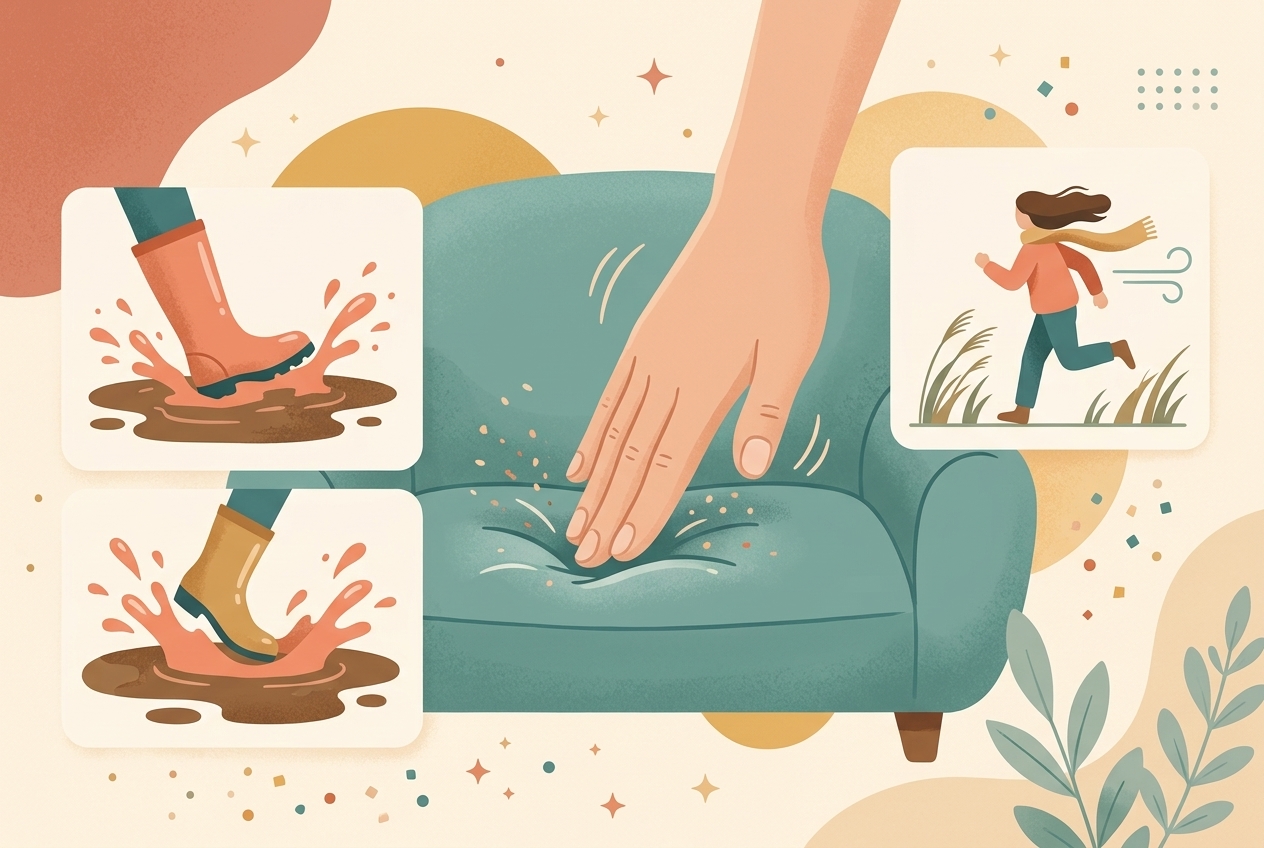
In the real world, an action never happens in isolation. Press a palm into a sofa and the foam sinks; step into a puddle and water splashes outward; hear a sudden crash behind you and you pause first, then turn, then search for the source; set a heavy object on a table and your arm decelerates, the tabletop may tremble slightly, and a low thud arrives at the same moment.
We never analyze these responses item by item, but the brain has watched the real world countless times and knows what should happen next. The moment a shot omits this feedback, viewers may not be able to name what's wrong — but they feel something plasticky, floaty, like a game cutscene.
That's exactly where micro-physics feedback earns its value: it restores the missing stretch of causality between an action and its result. It has nothing to do with showing off.
II. Feedback One: After Contact, the Object Must Respond
'Touch it,' 'pick it up,' 'push it away' — these look explicit in a prompt, but for a video model they're often not enough. Real contact involves at least three steps: approach → apply force → the object changes
For example, 'a person presses the sofa cushion with their hand' is only a concept — the model may just render a palm gliding over the cushion's surface, with no real contact or force. A more actionable version:
'The character's right palm rests flat against a gray fabric sofa cushion as the arm gradually presses downward; the foam beneath the palm slowly sinks, and the surrounding fabric pulls inward into fine wrinkles. When the hand releases, the cushion rebounds with a slight delay.'
No adjectives were piled on here — just a few concrete feedbacks: resting, pressing, sinking, tightening, rebounding. That alone makes the shot read as real contact.
The same method works for: · A finger pressing fabric: indent → release → rebound. · A knife cutting food: blade enters → the cut faces separate → juice or crumbs appear. · A foot stepping into a puddle: sole makes contact → water fans outward → the trouser cuff gets splashed. · A person sitting on a sofa: body sinks → cushion deforms → clothes wrinkle.
A very usable action formula: point of force + direction of force + object deformation + final displacement or rebound Compared with 'touches firmly' or 'realistic interaction,' this kind of writing is far more likely to produce a visible result.
III. Feedback Two: Weight Must Show Up in Speed
The floaty look so common in AI video often isn't about objects literally drifting into the air — it's about motion that carries no weight.
In reality, picking up an empty paper cup and lifting a wooden crate full of water involve completely different body preparation, force ramp-up, and arm posture. A heavy object never rises at constant speed, and it never comes to a stop without any cushioning.
To convey weight, add four details: 1. Wind-up: the character bends, lowers their center of gravity, or adjusts their grip first. 2. Exertion: arms tense, shoulders rise, and the motion accelerates from slow to fast. 3. Inertia: once the object moves, hems, liquids, or dangling items lag slightly behind. 4. Stop: deceleration before setting down, with a small recoil through both body and object on contact.
The weak version: 'A man lifts a heavy wooden crate onto the table.'
The specific version: 'The man squats, grips the bottom of the wooden crate with both hands, tenses his shoulders and back, then lifts slowly; as the crate leaves the ground his body tilts slightly backward. He slows as he reaches the table, then lets the base of the crate drop heavily — the tabletop and the objects inside the crate shake slightly at the same moment.'
What actually does the work in that prompt isn't the word 'heavy' — it's the squat, the tensing, the backward lean, the deceleration, and the recoil.
IV. Feedback Three: When the Character Moves, the Environment Can't Pretend Not to Notice
A person moving through an environment always leaves traces. Running pulls at hems and hair; crossing a lawn flattens blades of grass; a vehicle tearing across mud kicks up dust; a character slipping through a narrow curtain pushes it open first, and then it swings back and settles.
When only the subject moves and the background sits there like a static texture, realism collapses fast.
Pick just one or two from four categories of environmental response — there's no need to cram in all of them: · Air response: hair, hems, smoke, or paper stirred by moving air. · Ground response: dust, splashes, footprints, grass, or gravel changing state. · Obstruction response: curtains, branches, or clothing racks pushed aside as the character passes. · Light response: as the character nears a light source, shadow position and brightness shift with them.
Environmental feedback has another advantage: it never has to compete with the main story. A hem swaying half a beat late, a little dust rising at the feet — the brain automatically fills in the space and the forces. That's why some shots that aren't flashy at all read as more believable than a screen full of particle effects.
V. Feedback Four: Eyelines Establish Relationships Before Dialogue Does
When two characters share the frame, the easiest thing to get wrong isn't the faces — it's who is looking at whom. Common failures: · A character stares into the camera while speaking, instead of at the other person. · The head turns right while the eyes stay left. · Both characters look in different directions yet seem to be having a normal conversation. · A character hears a sound and answers immediately, without ever searching for the source.
When writing an interaction shot, set emotion aside and nail down three things first: 1. Where A is in the frame. 2. Which direction B is in relative to A. 3. Where A's head, eyes, and body are each pointing.
For example: 'The girl in red stands on the left side of the frame, body facing the camera, head turned toward the man in black on the right; her gaze lands first on the papers in the man's hand, then lifts to his face.'
That short passage already establishes both the relationship and the order of information: the papers first, then the person. It generates far more reliably than 'the girl looks at the man suspiciously,' and it has more layers as a performance.
A trick that rarely gets noticed: the eyes should usually arrive first, with the head and body following. If a character always rotates all at once like a turntable, the motion reads as mechanical.
VI. Feedback Five: Reactions Shouldn't Happen at the Same Instant as the Event
Real reactions have delay. Hearing a cup shatter, a person pauses briefly first, then blinks, turns, or hunches their shoulders; seeing something unbelievable, they verify first, and only then does the astonished expression form. AI video, though, routinely compresses the event and the complete reaction into the same instant — and the character looks like they were handed the script in advance.
Break a reaction into three beats: perceive → register → show
For example: 'A metallic clatter comes from behind her. The girl's hands, in the middle of tidying books, freeze for an instant; her eyes shift to the right first, then her head turns slowly. Only after she sees the object on the floor do her eyes gradually widen, lips parting slightly.'
Compared with 'the girl turns around in shock at the sound,' this version contains one extra thing: a very short moment of thought.
The timing needn't be mechanically fixed, but a perception gap of roughly 0.2–0.5 seconds is usually worth keeping. It might be nothing more than a paused hand, a single blink, or a shift of gaze — yet it turns the character from someone executing instructions into someone experiencing something.
VII. Feedback Six: Sound Should Lock to Actions, Not Just Lay Down Music
Sound is part of physical feedback. If a heavy crate lands on a table and all you hear is upbeat background music, the brain decides the crate has no weight; if the knife has already cut through the crisp crust and the crunch arrives half a second late, the shot feels badly dubbed.
Key actions deserve one-to-one sound design: · Metal opening or closing: a short, crisp click. · A heavy object landing: a low-frequency impact with a slight after-tremor. · Fabric stretching: fine, dense friction. · A foot hitting water: sole contact plus splashes spreading outward. · Stroking fur: a very soft rustle and the animal's breathing.
More sound isn't better. Only actions that genuinely change a state deserve their own sound. An ordinary blink needs nothing; a door actually locking deserves one unambiguous click.
One more common technique: let the sound enter slightly before the visual peak. As a vehicle is about to burst out of frame, the engine surges first; just before a heavy impact, there's a brief rush of compressed air or friction. When the ear builds the expectation first, the visual hit lands more completely.
VIII. Stop Writing Only the Result in Prompts — Write the Process of Change
Plenty of prompts look specific but still describe only the result: 'A girl runs in the wind, realistic, cinematic, 4K.'
It tells the model what should exist in the end, but never how the world responds. Try this instead:
'A girl sprints from the right side of the frame to the left. Each time her right foot lands it bends the grass, kicking up a little damp soil behind her; her long hair and the hem of her jacket stream backward, turning half a beat later than her body. As she passes a low-hanging branch she raises her left arm to push it aside; the branch springs back and sways behind her.'
This prompt never says 'realistic' again — yet it adds four sources of realism: the ground, the soil, the hem, and the branch.
When writing action, complete this chain first: who applies force → what is affected → how it changes → how it settles afterward
As long as that chain is clear, the shot usually comes out more solid than any pile of 'premium, stunning, film-grade.'
IX. How to Salvage Flawed Generated Shots in the Edit
Not every small flaw is worth regenerating. Some can be softened in the edit and the sound mix.
1. Cut away before the error truly shows: if an action winds up well but deforms after contact, keep the wind-up and cut to a reaction shot or a result close-up before the peak of the impact.
2. Patch discontinuity with inserts: if a character jumps unnaturally from standing to sitting, insert detail shots — a hand on the chair back, a shoe sliding backward, a bystander's reaction — to shorten the stretch of motion the viewer can continuously inspect.
3. Establish causality early with sound: when the on-screen contact feedback is slightly weak, precise friction, impact, and landing sounds can add weight. But sound only covers minor gaps — it can't rescue obvious clipping.
4. Don't bury mistakes under more effects: particles, flares, and motion blur can hide certain seams, but they can also draw attention straight to the spot. First ask whether the problem is 'the action runs too long' or 'the causality is missing,' then decide between cutting and regenerating.
X. A Micro-Realism Checklist for AI Video
Once the generation is done, hold off on judging how impressive it looks. Go down the list:
1. Do hands, feet, or tools actually make contact with their targets? 2. After contact, do fur, fabric, liquid, or objects respond? 3. Do heavy objects show weight through their wind-up, movement, and stopping? 4. When the subject moves, do hems, hair, and the surroundings react? 5. Are both characters' head, eye, and body orientations plausible? 6. Does the character get time to perceive and register before reacting? 7. Are the dialogue, the lip movement, and the speaker's state consistent? 8. Do key actions have accurate, unexaggerated sound? 9. Are character positions and movement directions continuous across cuts? 10. With '4K' and 'cinematic' stripped out, is the action description still concrete on its own?
Conclusion: Realism Hides in the Consequences of Actions
AI video doesn't have to simulate reality outright. Fantasy characters, colossal architecture, impossible worlds — all of it can work. But the more impossible the premise, the more believable its internal small-scale causality has to be.
A dragon can burst out of the water — but the surface should be shoved apart. A white tiger can live in a temple — but its fur should flatten under a stroking palm. A character can change outfits in an instant — but the clothes settling, the body's inertia, and the sound cues should all line up with each other.
So when you're trying to make AI video feel more real, ask 'what other effects can I add' a little less, and ask this a little more: After this action happened, how did the world respond?
Sharpness lets people see the image. Micro-feedback is what makes them believe it.
If you already have a reference clip or a generated cut on hand, run it through VideoLens for a shot-by-shot breakdown of actions, camera moves, performance, and sound, then check each shot against the six feedback types above — usually a much faster way to locate the real problem than rewriting the whole prompt from scratch.