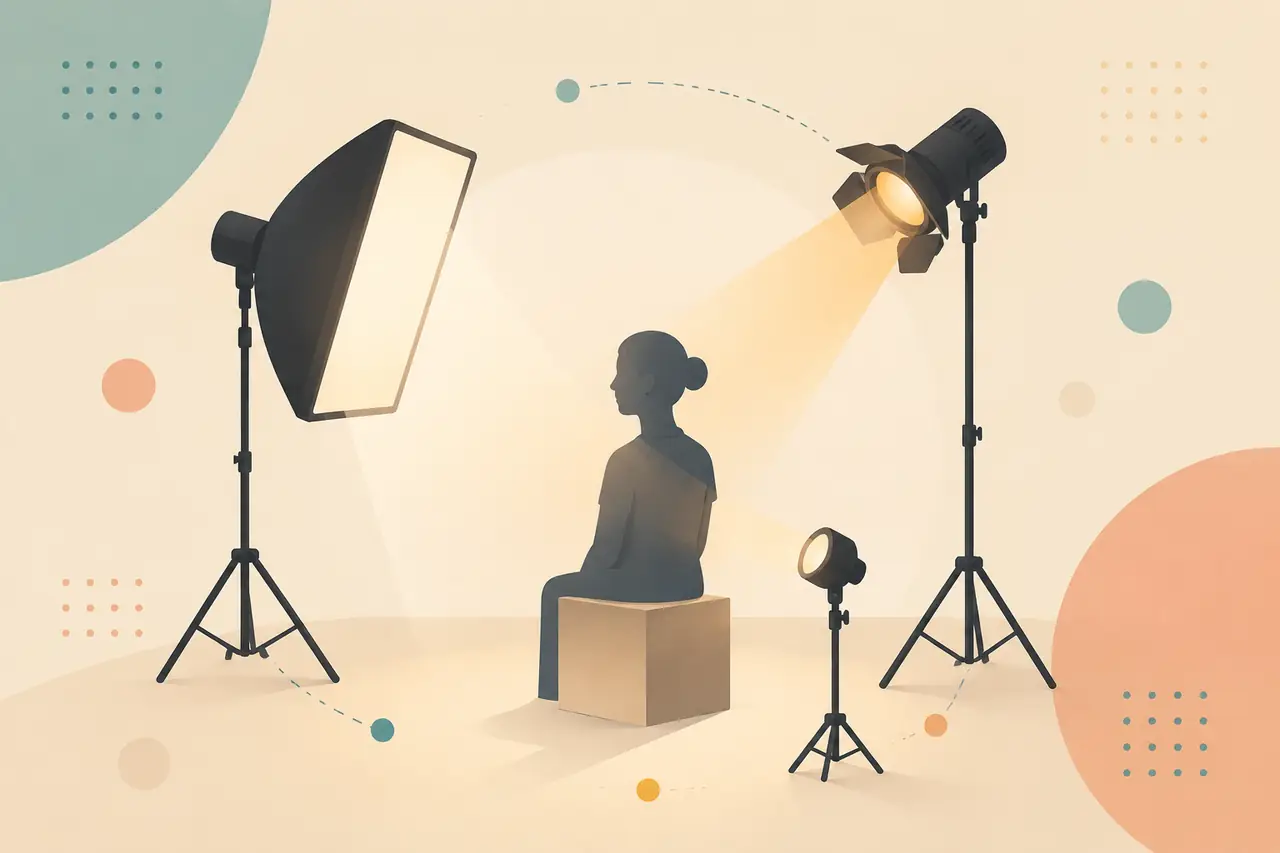
시네마틱 라이팅 총정리: 14가지 조명 스타일 + AI 프롬프트
빛은 화면이 '고급스럽게' 보이느냐를 결정하는 핵심 변수입니다——같은 장면이라도 조명을 바꾸면 감정이 완전히 달라집니다. 가장 많이 쓰이는 14가지 시네마틱 라이팅을 고전적인 렘브란트 라이트와 버터플라이 라이트부터 골든아워, 네온, 볼류메트릭 라이트까지 정리했고, 각 스타일마다 인물 예시 사진과 바로 복사해 쓰는 이중 언어 프롬프트를 함께 담았습니다. 사진을 보고 조명을 고르고, 프롬프트를 복사한 뒤 자신의 피사체로 바꾸기만 하면 됩니다.
 01
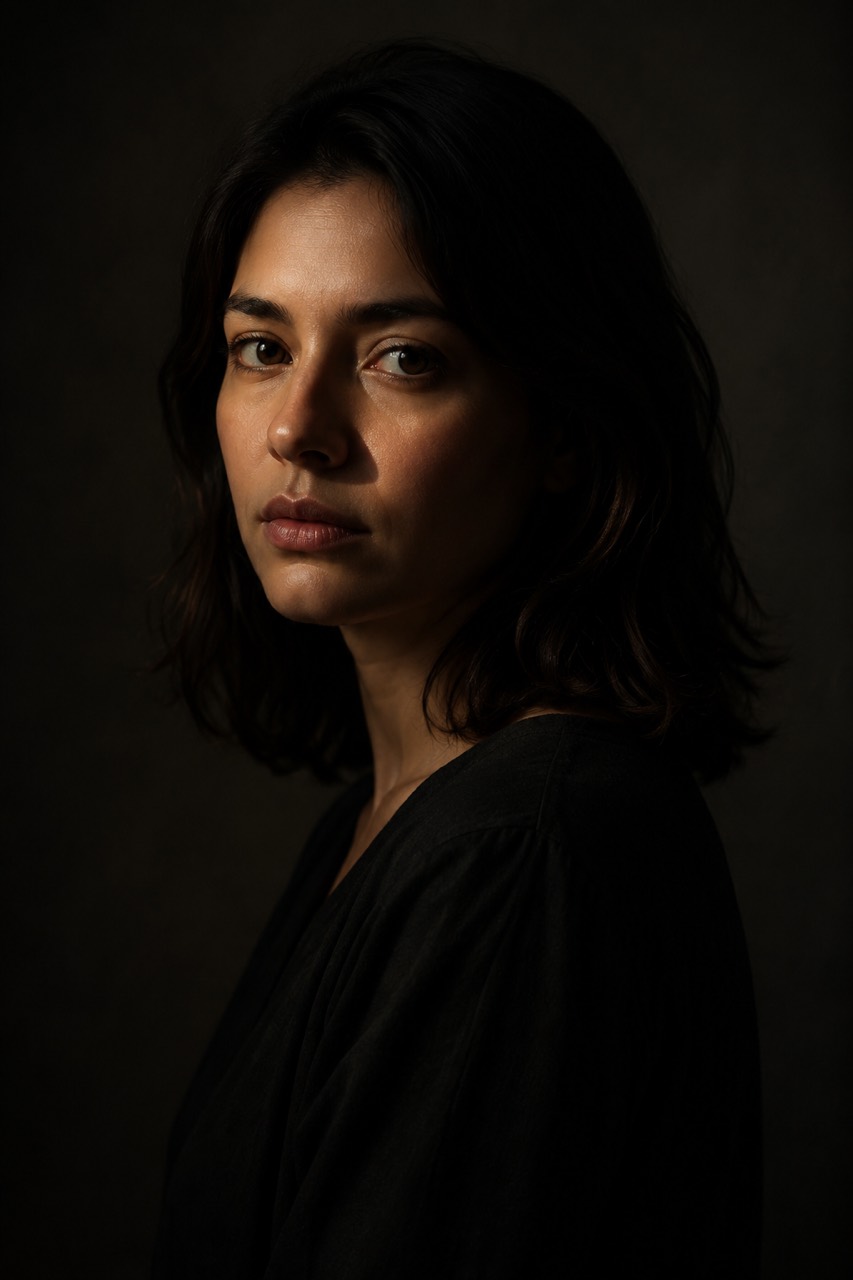
01렘브란트 라이트
Rembrandt고전적인 렘브란트 라이트——그늘진 뺨에 작은 삼각형 빛이 생기는, 인물 조명의 기본기.
A cinematic portrait, classic Rembrandt lighting, a single key light high at 45 degrees, a small illuminated triangle on the shadowed cheek, soft falloff into shadow, dark background, chiaroscuro电影感人像,经典伦勃朗布光,单一主光 45 度高位,暗部颊上一小块三角光,柔和过渡到阴影,深色背景,明暗对照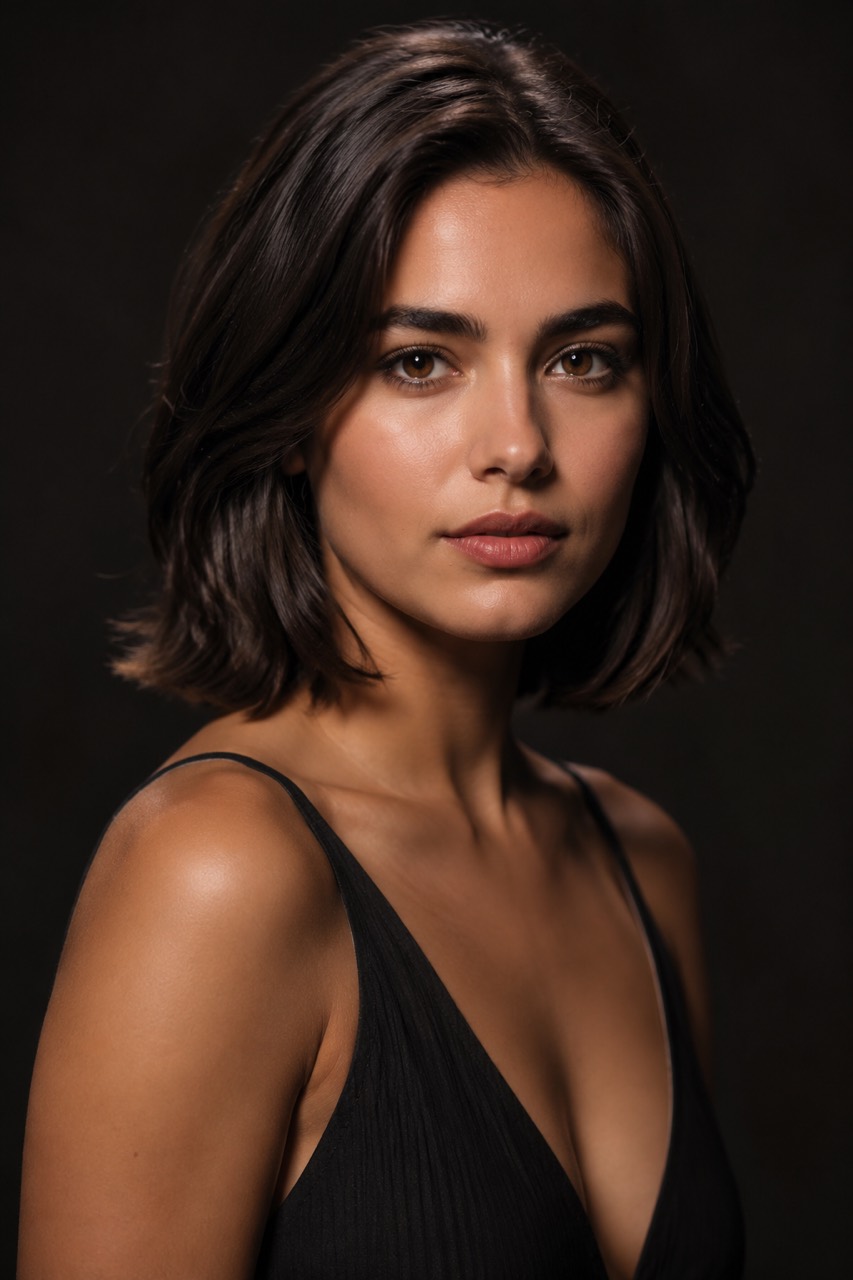 02
02버터플라이 / 파라마운트 라이트
Butterfly / Paramount버터플라이(파라마운트) 라이트——코 아래 좌우 대칭의 나비 모양 그림자가 생기는 화려한 뷰티 룩.
A glamour beauty portrait, butterfly Paramount lighting, frontal light placed high above the camera, a small symmetrical butterfly-shaped shadow under the nose, soft even glow, dark background时尚美妆人像,蝴蝶光(派拉蒙光),正面光高置于相机上方,鼻下一小块对称的蝶形阴影,柔和均匀的光,深色背景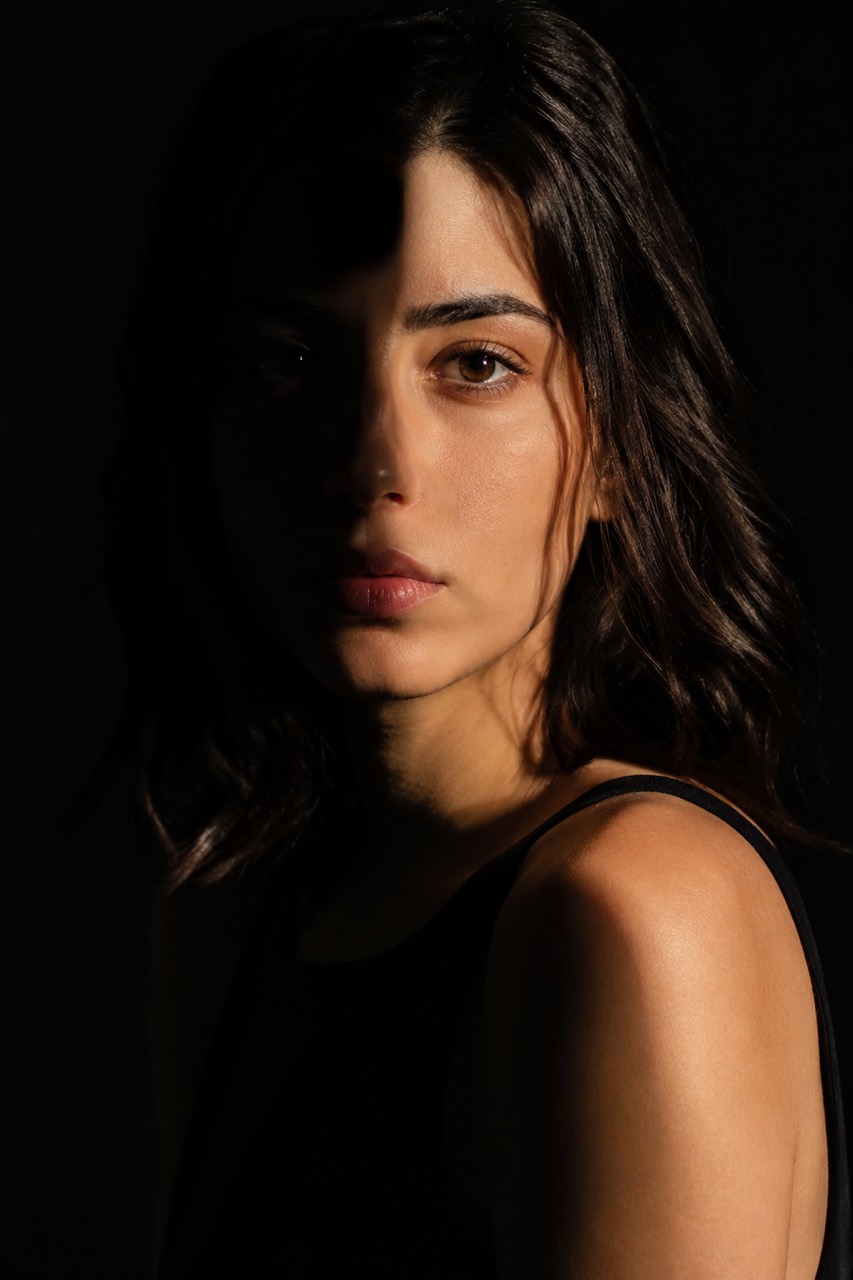 03
03스플릿 라이트
Split Light스플릿 라이트——얼굴 절반은 밝고 절반은 깊은 그림자에 잠겨 극적인 긴장감이 극대화됩니다.
A dramatic portrait, split lighting, hard light from one side only, the face divided into one bright half and one half in deep shadow, dark background, high contrast戏剧性人像,分割光,硬光只来自一侧,脸被分成明亮的一半和深陷阴影的一半,深色背景,高对比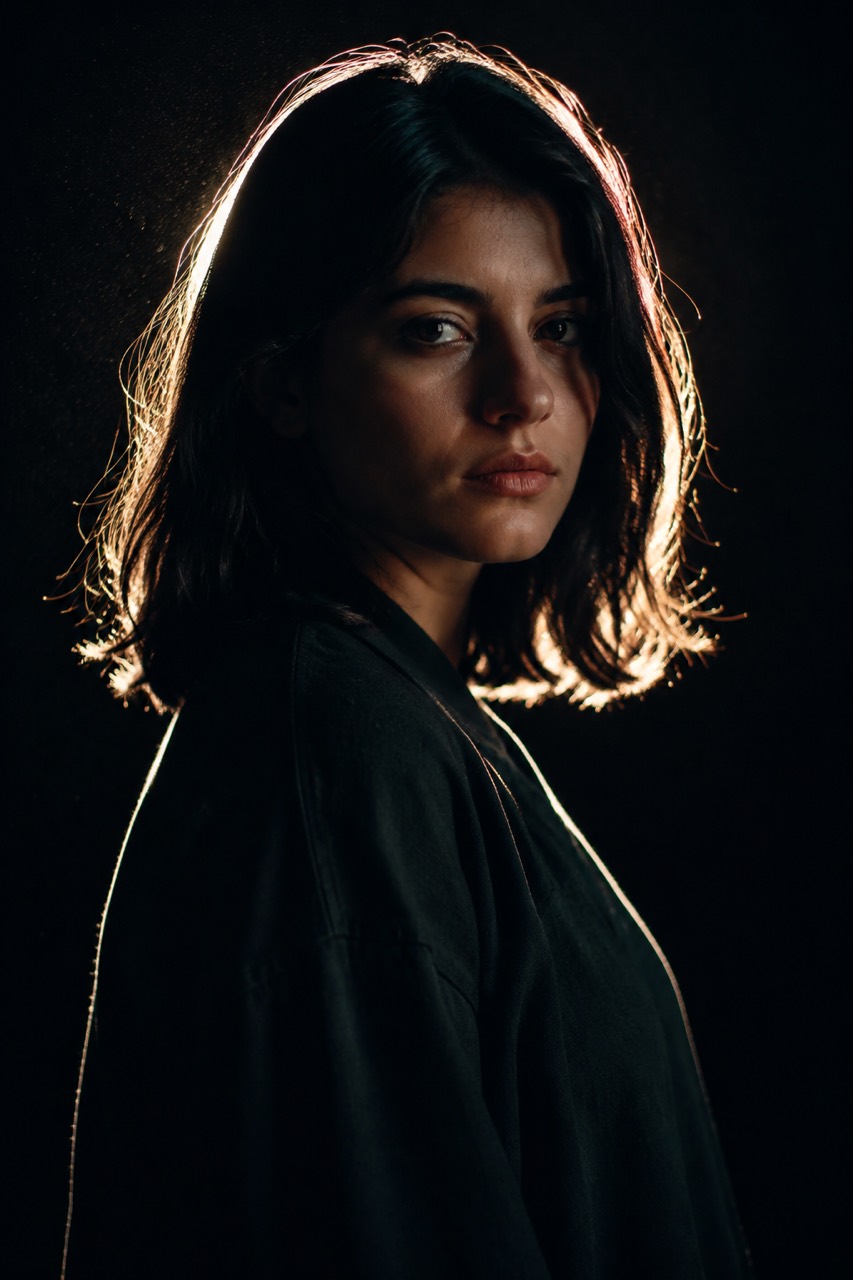 04
04림 라이트 / 엣지 라이트
Rim Light뒤쪽 림 라이트가 빛나는 윤곽을 그려내 피사체를 어둠에서 분리시킵니다.
A moody portrait on a dark background, strong rim light from behind tracing a glowing edge along the hair and shoulders, the subject separated from darkness by a bright outline深色背景下的氛围人像,身后强轮廓光沿发丝与肩线勾出一圈发光边缘,主体被明亮轮廓从黑暗中分离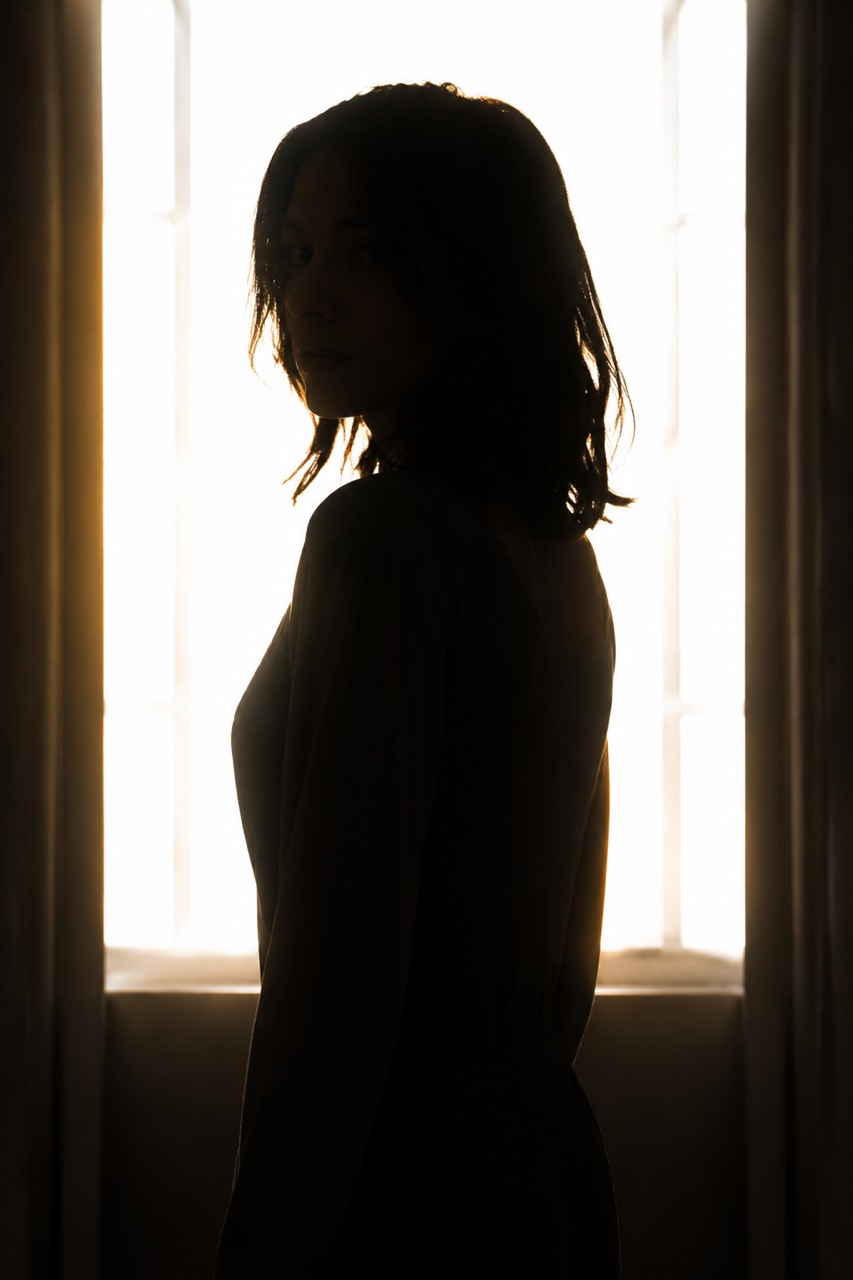 05
05역광 실루엣
Backlit Silhouette거의 완전한 실루엣에 가장자리를 두른 광륜——감성 서사에 최적인 순수 역광.
An emotional backlit silhouette, the subject standing in front of a bright window fully backlit, reduced to a near-total silhouette with a glowing halo around the edges, high contrast情绪化逆光剪影,人物站在明亮窗前完全逆光,几乎成为纯剪影,边缘环绕一圈光晕,高对比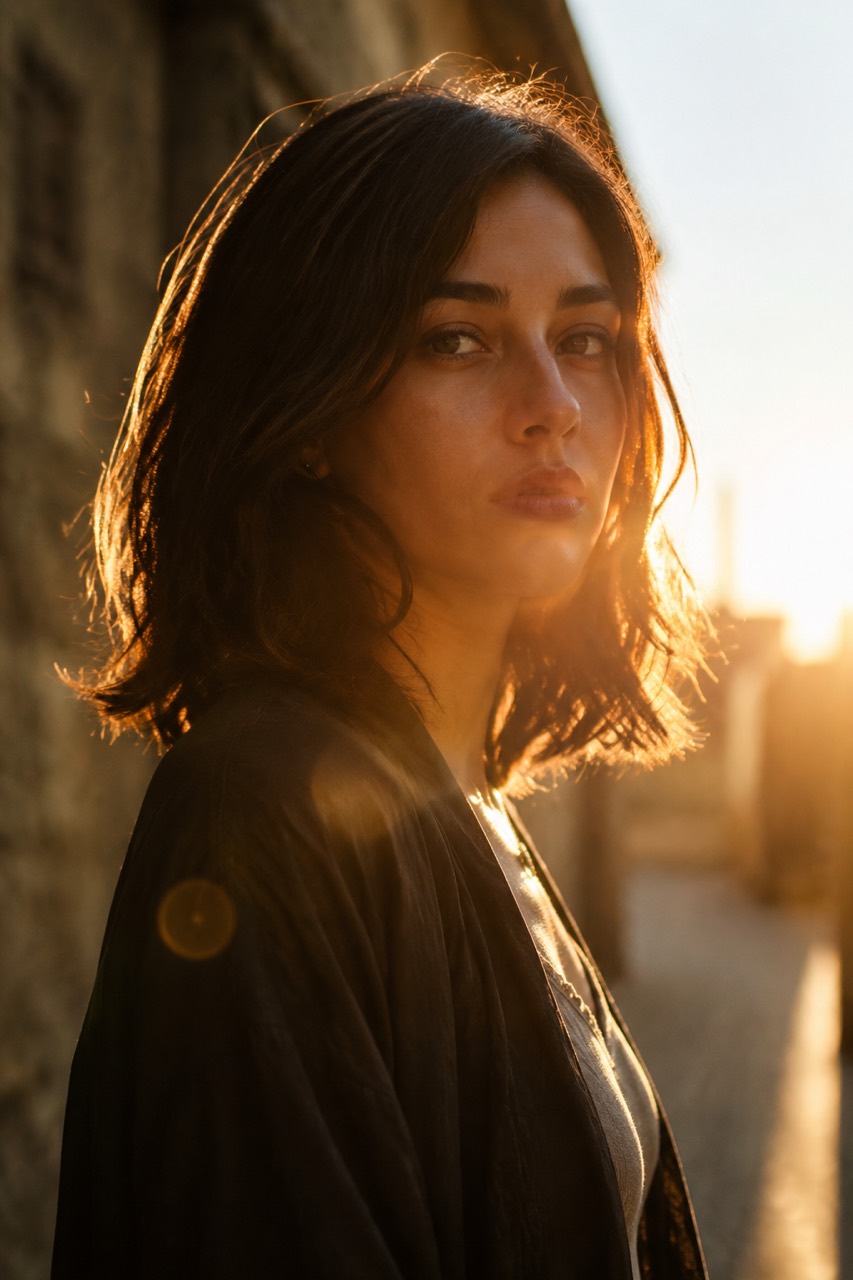 06
06골든아워
Golden Hour골든아워의 낮고 따뜻한 햇살이 얼굴을 스치고 머리카락에 금빛 테두리를 입혀, 따뜻하고 고급스럽습니다.
A warm portrait outdoors at golden hour, low-angle sunlight grazing the face from the side, a golden sunlit rim on the hair, gentle lens flare, soft warm glow黄金时刻的户外暖调人像,低角度阳光从侧面掠过面部,发丝镀上金色边光,轻微镜头光晕,柔和暖光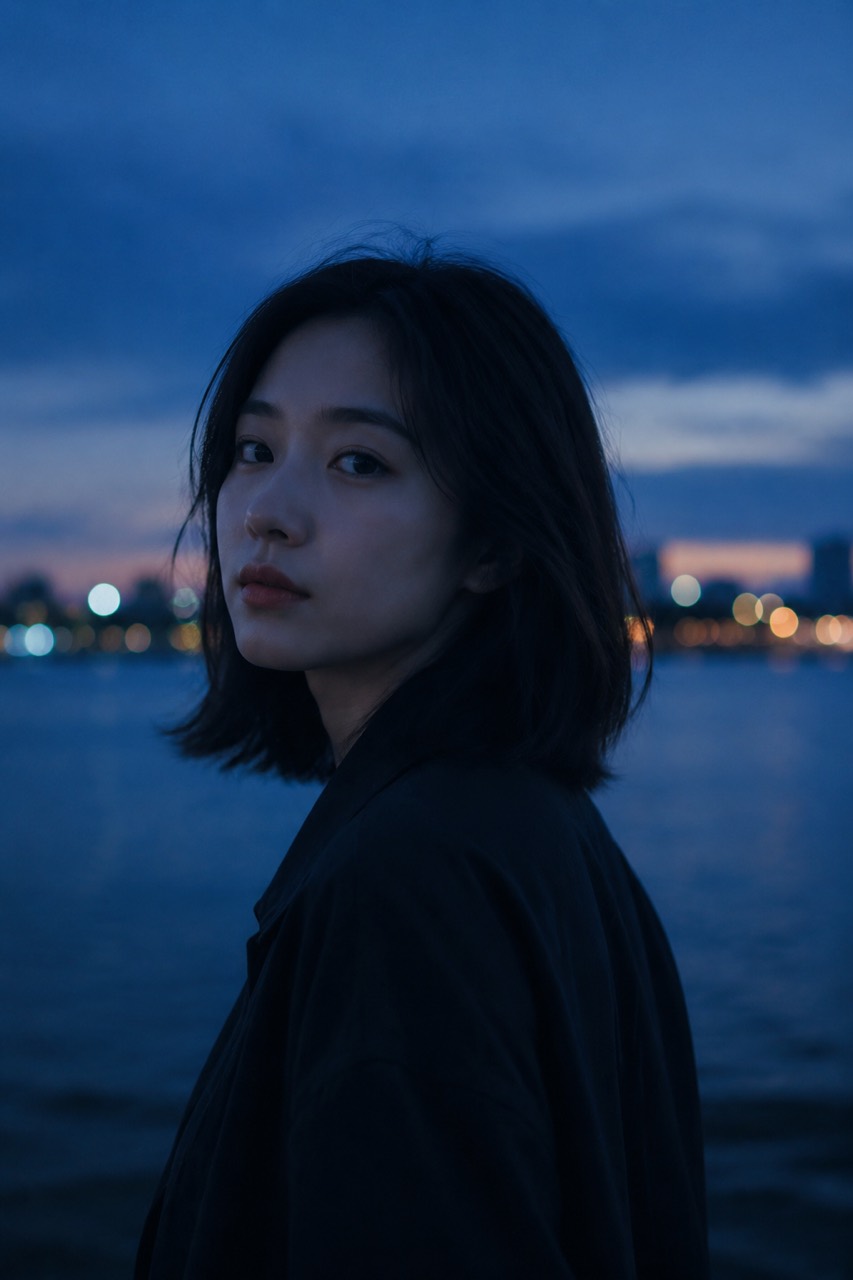 07
07블루아워
Blue Hour블루아워의 황혼, 차가운 푸른 환경광——고요하고 평온하며 절제된 분위기.
A calm portrait at blue hour twilight, cool soft blue ambient light, deep blue sky, quiet serene mood, gentle cool tones蓝调时刻暮色中的静谧人像,冷调柔和的蓝色环境光,深蓝天空,安静平和氛围,柔和冷色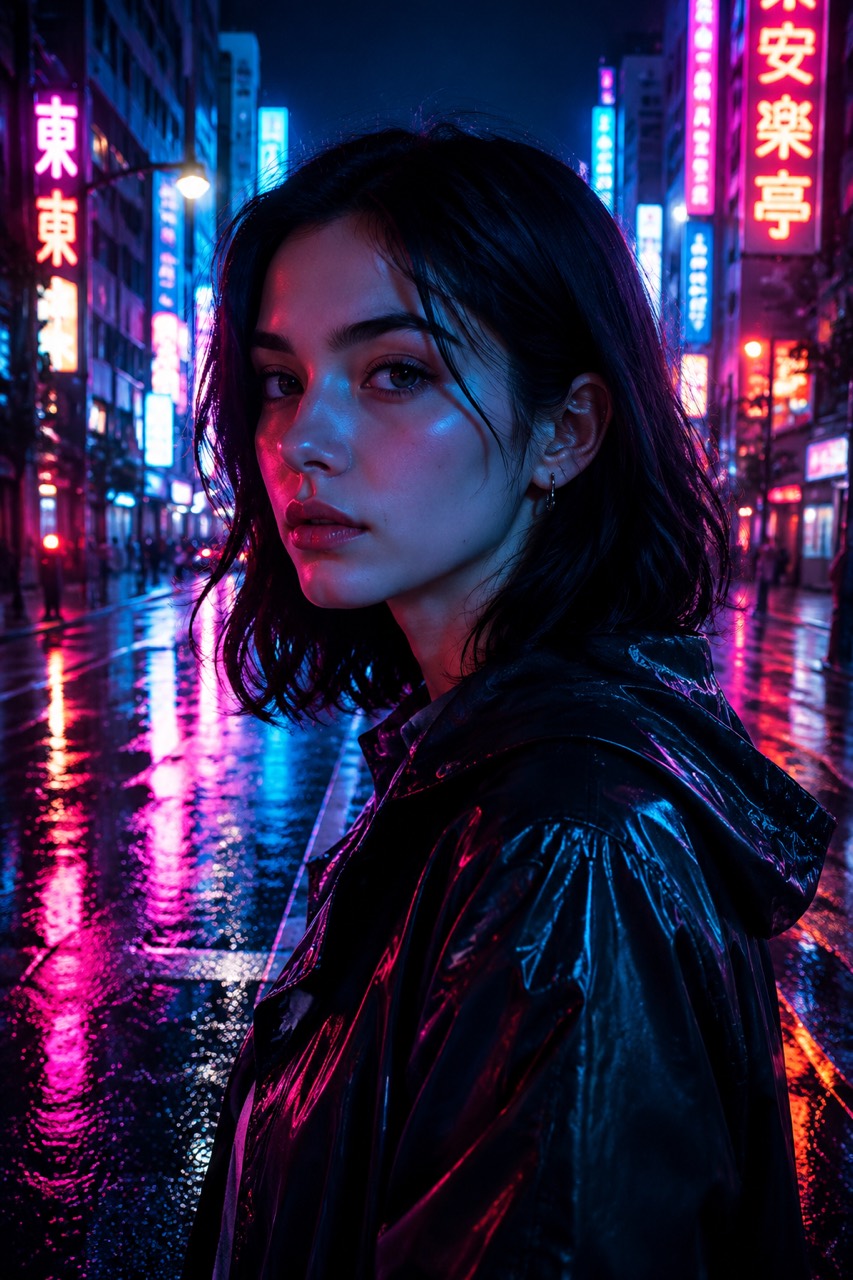 08
08네온 라이트
Neon마젠타와 시안 네온이 얼굴에 비치는 사이버펑크 도시의 밤.
A cyberpunk night portrait on a neon-lit street, magenta and cyan neon light reflecting on the face, colorful hard neon lighting, wet reflective background霓虹街道上的赛博朋克夜景人像,品红与青色霓虹打在脸上,彩色硬光霓虹,潮湿反光的背景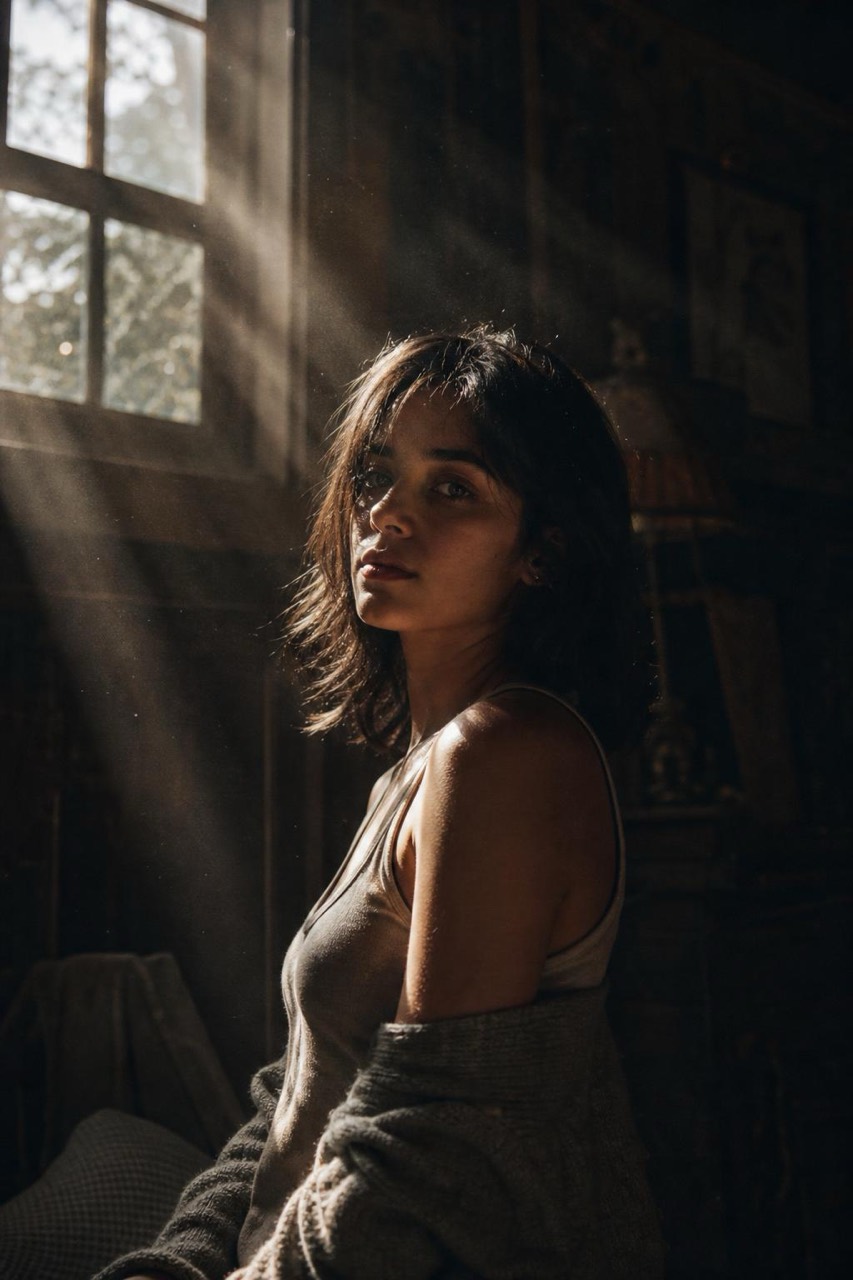 09
09볼류메트릭 라이트 / 틴들 광선
Volumetric / God Rays먼지와 안개를 뚫고 들어오는 광선——분위기가 극대화됩니다.
A portrait in a dark dusty room, dramatic volumetric god rays streaming through a window, visible beams of light cutting through dust and haze, atmospheric昏暗多尘房间里的人像,戏剧性体积光从窗户倾泻而入,可见光束穿过尘埃与薄雾,极具氛围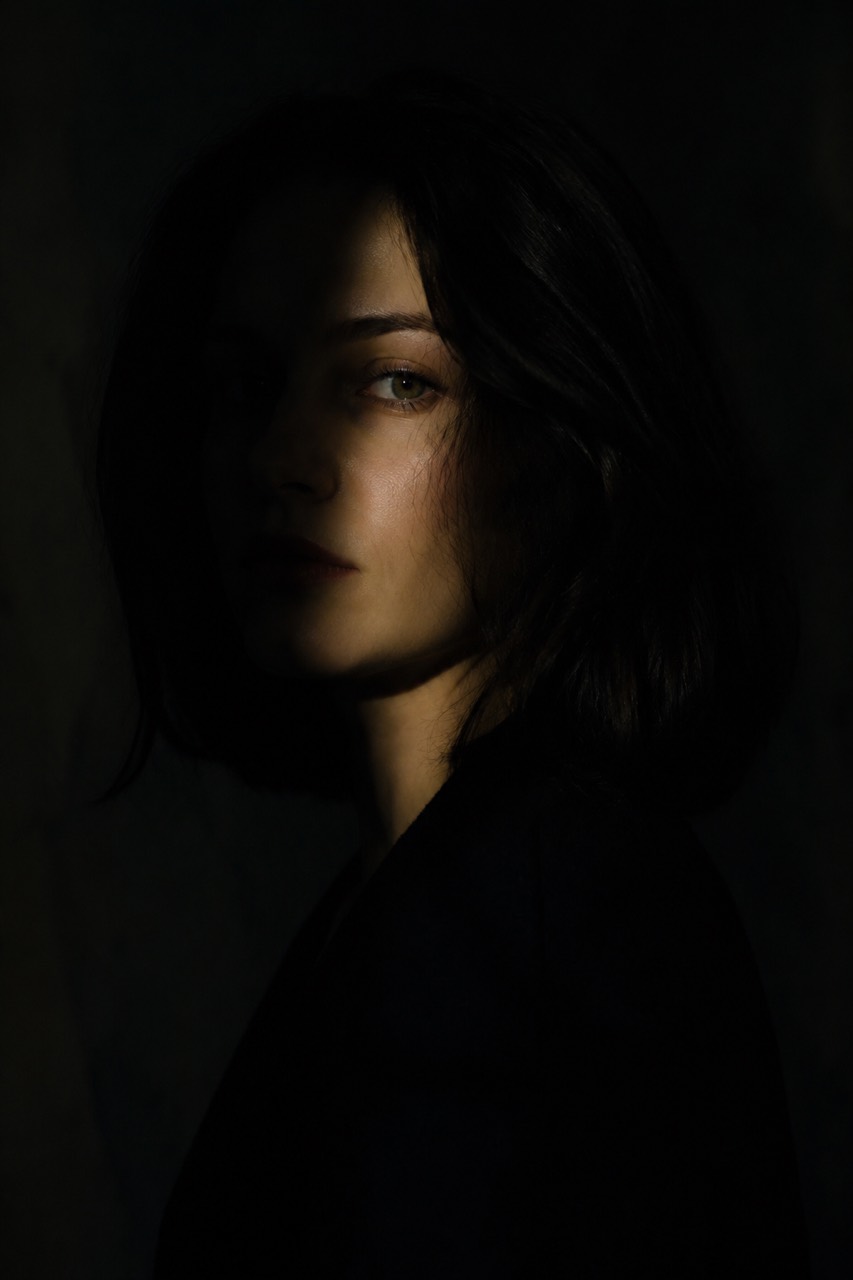 10
10로키 라이트
Low-key대부분이 그림자에 잠기고 한 줄기 빛만 비치는, 신비롭고 무거운 분위기.
A mysterious low-key portrait, mostly deep shadow with a single small light revealing only part of the face, dark moody chiaroscuro神秘的低调暗光人像,大面积深暗阴影,仅一小束光照亮部分面部,黑暗压抑的明暗对照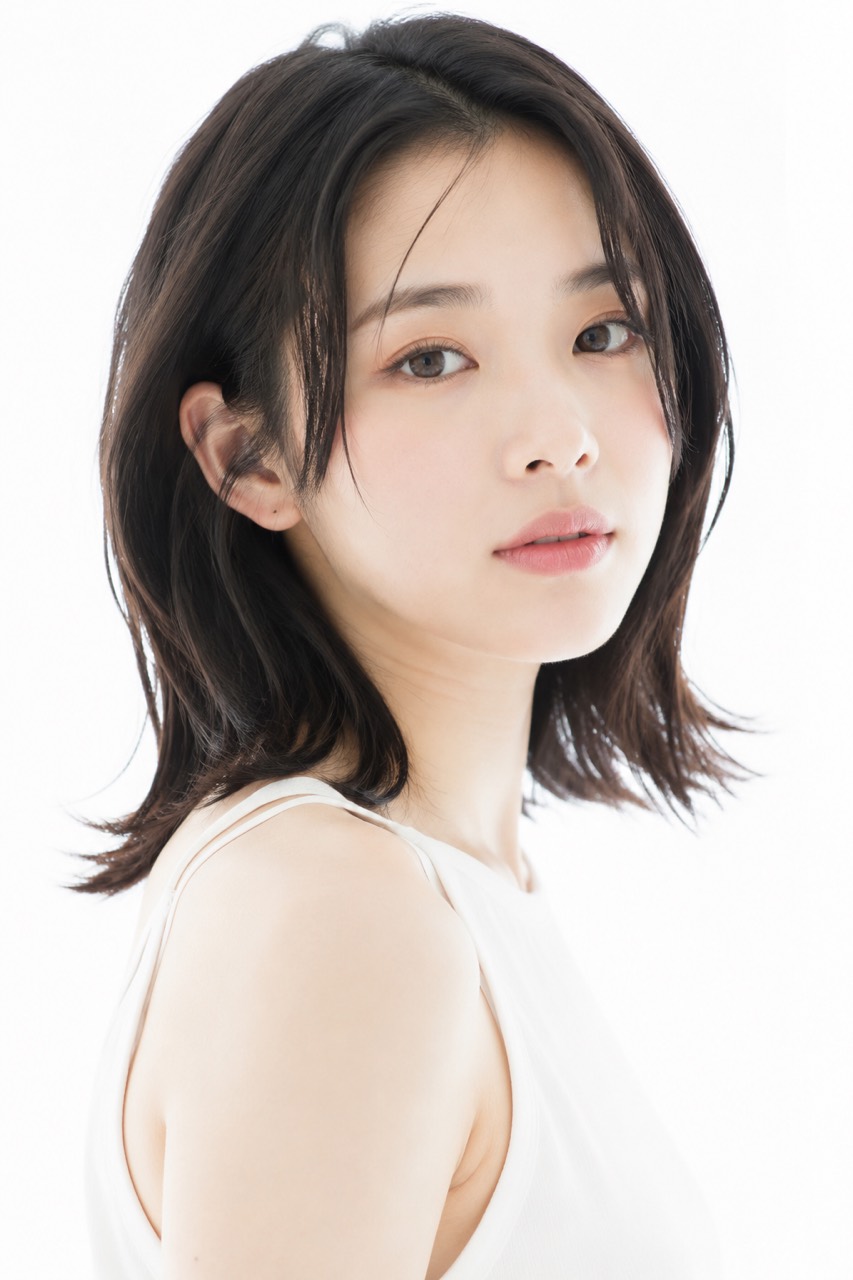 11
11하이키 라이트
High-key밝고 거의 그림자가 없는 깨끗한 화이트——산뜻한 광고 느낌.
A fresh high-key portrait, bright even white light, almost shadowless, clean luminous white background, airy commercial look清新的高调亮光人像,明亮均匀的白光,几乎无阴影,干净通透的纯白背景,空灵的广告感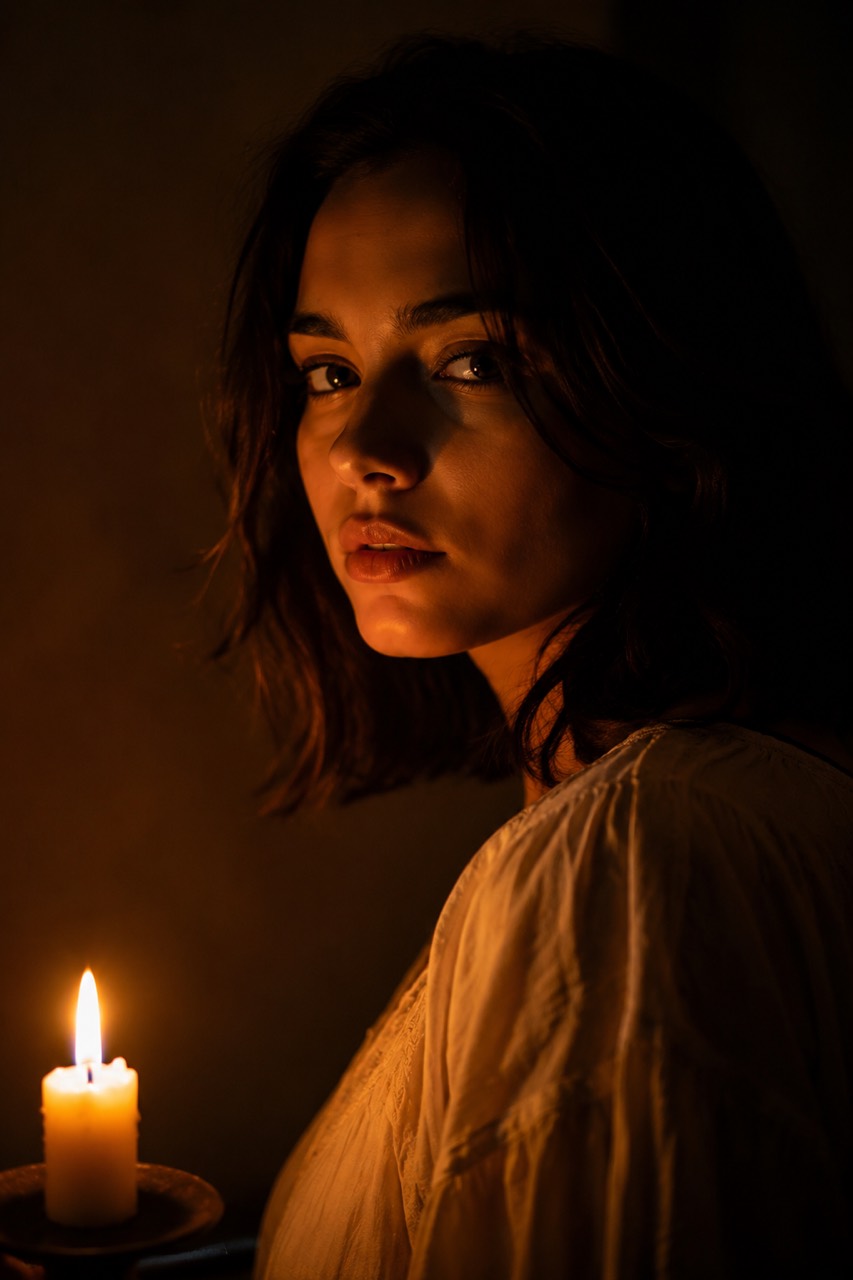 12
12촛불 / 실용광
Candlelight따뜻한 촛불 하나를 광원으로 삼아, 친밀하고 부드럽게 어둠으로 잦아듭니다.
An intimate portrait lit only by warm orange candlelight, a single flickering candle as the light source, warm glow falling off softly into darkness仅由温暖橙色烛光照亮的亲密人像,一支摇曳的蜡烛作为唯一光源,暖光柔和地衰减入黑暗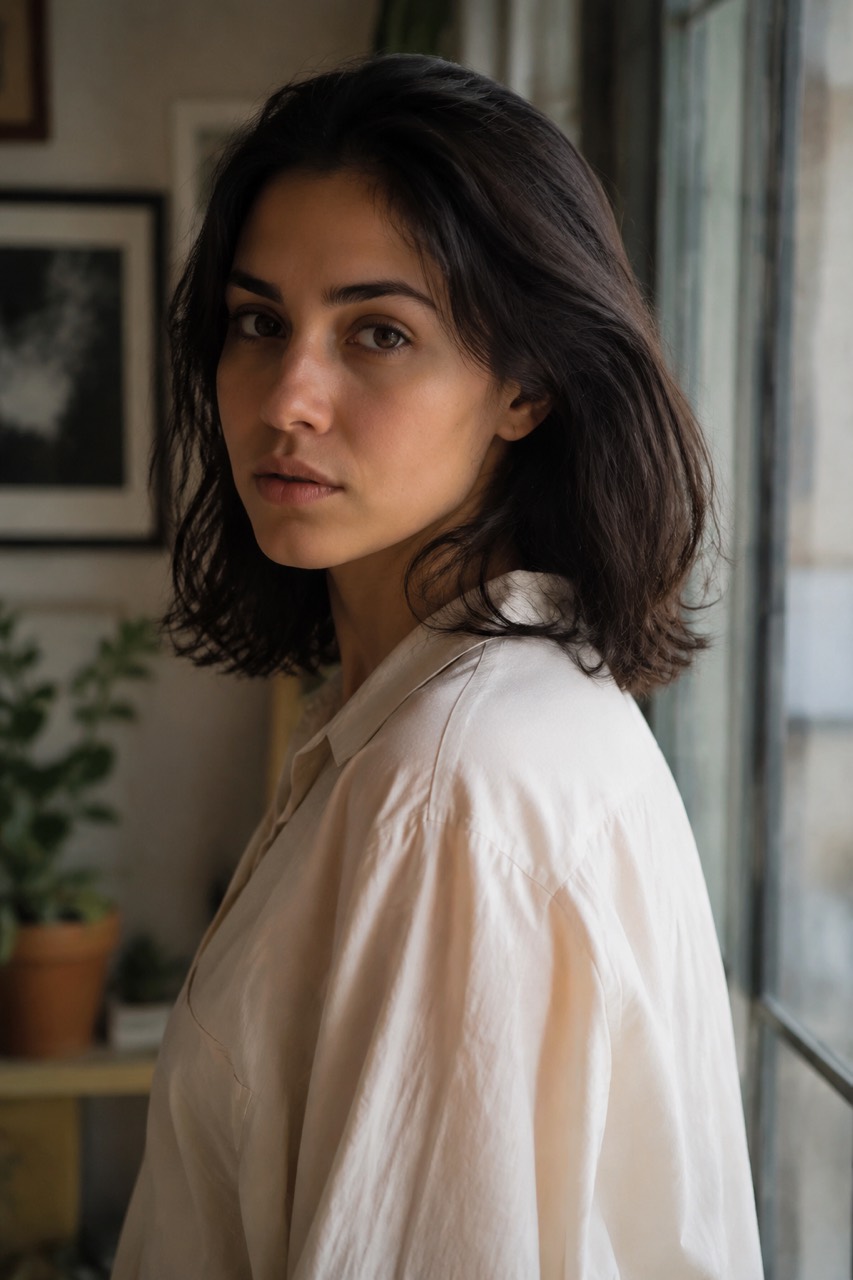 13
13창문광
Window Light한쪽 큰 창에서 들어오는 부드러운 자연광——은은하게 확산된 빛과 부드러운 그림자, 자연스럽고 일상적입니다.
A natural portrait lit by soft daylight from a large window to one side, gently diffused light, soft shadows, calm everyday mood由一侧大窗柔和日光照亮的自然人像,轻柔漫射的光线,柔和的阴影,平静的日常氛围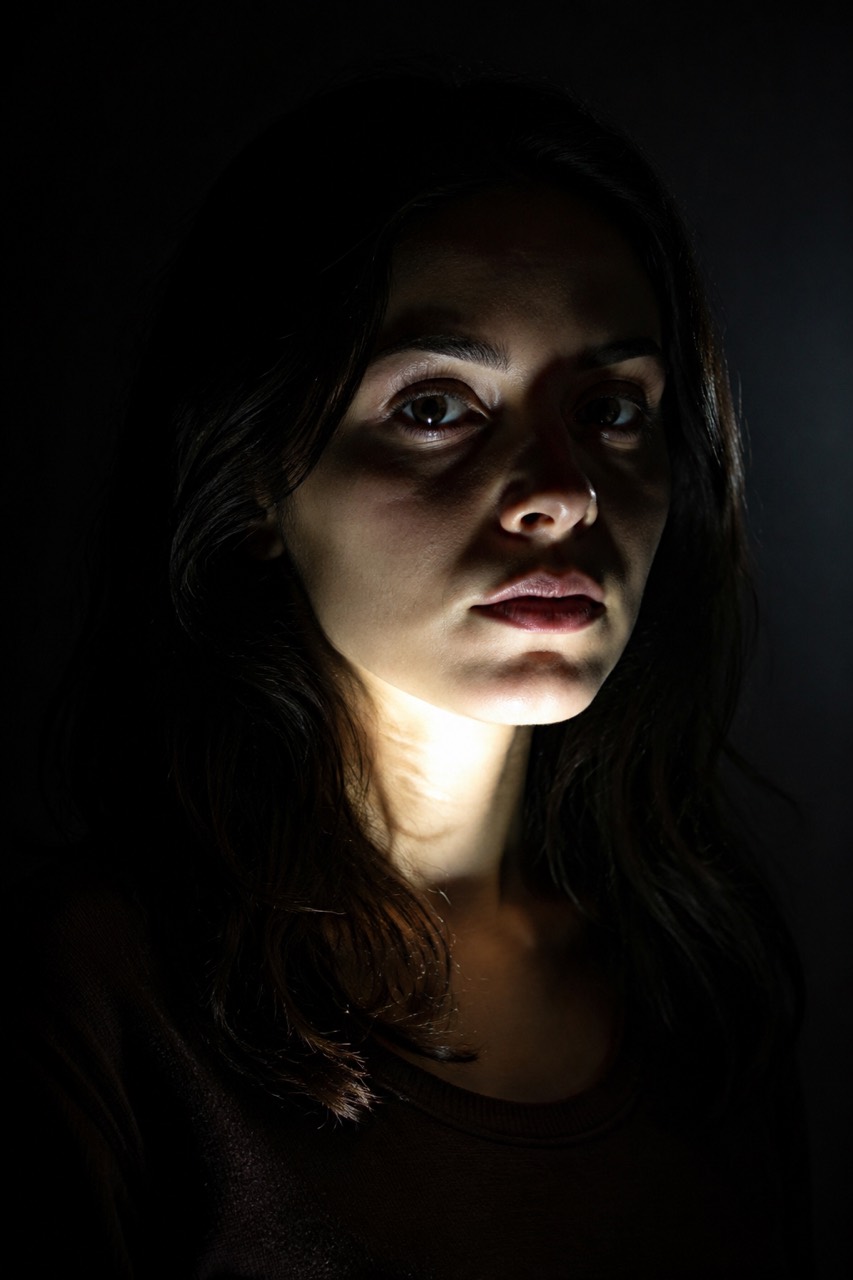 14
14언더 라이트 / 톱 라이트
Under / Top Light턱 아래에서 비추는 기괴한 언더 라이트——공포 영화 같은 불안감.
An unsettling horror portrait, eerie under-lighting from a light source below the chin like a flashlight from below, harsh upward shadows, dark background令人不安的恐怖人像,诡异的底光从下巴下方打上来(如自下方的手电),生硬的向上阴影,深色背景이 프롬프트들은 Sora, Kling, Runway, Midjourney 같은 주요 AI 영상·이미지 도구에서 모두 사용할 수 있습니다——복사해서 자신의 피사체로 바꾸기만 하면 됩니다. 어떤 영상이 어떤 조명, 카메라 무빙, 색감을 썼는지 알고 싶으신가요? VideoLens에 올리면 컷별로 자동 분해해 전체 프롬프트를 역설계해 줍니다.