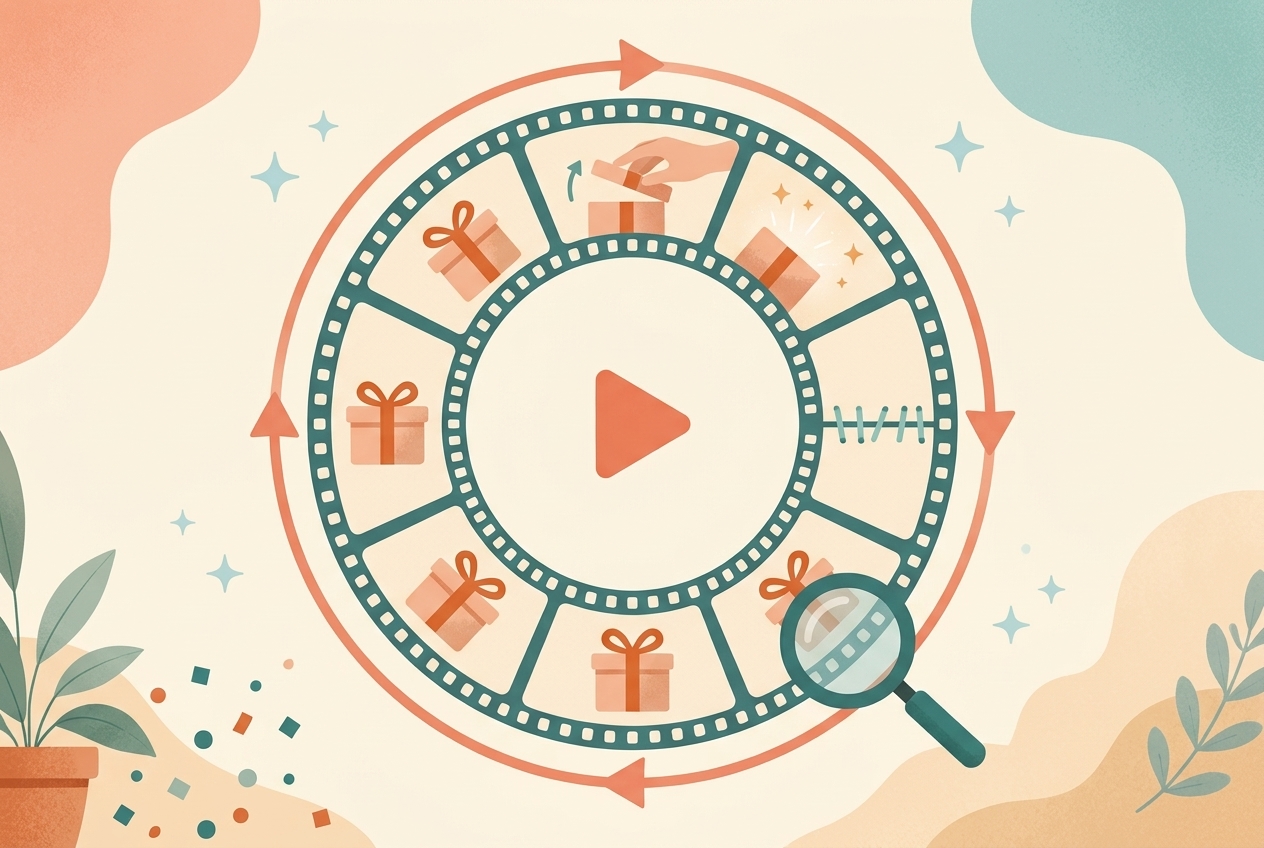
Getting Viewers to Watch Twice Without Noticing: Action Suspense, Familiar Rituals, and the Seamless Replay Loop
Most people who study short video study how to get viewers to tap in and how to survive the first three seconds — but almost nobody designs what happens after the video ends. In reality, the last second of a video doesn't only have to end things; it can quietly send the viewer back to the first second. There's a hidden engine of watch time in short video: when viewers see an action that has already started, they want to wait for it to finish; when they see a familiar process, they predict the next step; and when the ending connects back to the beginning, they may watch the whole thing again without even noticing. These three things look different, but they run on one underlying line: start a change → make the viewer wait for completion → use the result to connect back to a new beginning. This article breaks that down into three practical methods: action suspense, familiar rituals, and the replay loop. They don't require complex storylines or expensive gear, and they work especially well for food, craftsmanship, fashion, space tours, product demos, AI-generated creative, and light tutorials.
I. Covering Up the Answer: The Cheapest Suspense There Is
When people hear 'suspense,' they think of murders, secret identities, and plot twists. But in a video that lasts a dozen-odd seconds, suspense can be far simpler than that.
Whenever one of these actions appears on screen, viewers will usually wait a little longer: · A hand about to lift a red cloth; · A knife already cutting into an ordinary-looking object; · A pot lid being raised; · A corner of shrink wrap being torn open; · A drawer pulled halfway out; · A door about to open.
The reason isn't mysterious: the action has started, but the result hasn't appeared yet. The viewer's brain automatically waits for it to finish.
A complete piece of action suspense compresses into five beats:
A cover exists → the hand touches the object → an irreversible action begins → the contents are revealed → close-up on the result
That is already a minimal narrative. It has a beginning, a process, and a result — and it doesn't need a single line of dialogue.
II. The Four Most Usable Kinds of Action Suspense
1. Unveil: hide the answer behind a cover Works for collectible figures, storefronts, renovated spaces, artwork, and finished-product reveals. When shooting, don't make the first frame just a motionless red cloth. Get a hand into the frame at the same time — ideally already pinching the corner of the cloth — so viewers know from the start that the action is about to happen. At the moment of the reveal you can cut one shot size closer, but don't cut away too early. Leave at least one beat on the result so viewers can clearly see what was inside.
2. Tear: use irreversibility to build anticipation Peeling film, unboxing, tearing off labels, opening vacuum packaging — they all carry a feeling of 'this can't go back to how it was.' These actions are perfect for close-ups and real sound. The film pulling taut, the adhesive separating, the air rushing into the package — those sounds are viewing rewards in themselves. One small trick: don't start with the package fully sealed, and don't cut straight to it already torn open. Let one corner of the film lift first, and viewers will read the action instantly.
3. Break and cut: let the inner texture be the answer Ordinary outside, surprising inside — this is the most common structure for food, materials, and handmade products. A cake cut open to reveal a molten center, bread pulled apart into strands, wood sawn open to show its grain, a cleaning sponge snipped open to expose its structure. These shots aren't just 'pretty' — they're proving texture and performance. The key isn't how fast the knife is; it's preserving three states: the intact exterior, the action happening, and the cross-section revealed. Without the middle state, you just have a before-and-after comparison; with it, the shot feels like verifying with your own eyes.
4. Pull and slide: hand the space over bit by bit Drawers, zippers, scrolls, telescoping structures, folding furniture — all of them hold attention through gradual appearance. With these actions, the camera should move in the same direction as the object. If a drawer pulls open to the right, let the camera drift slightly right along with it, and viewers will feel like they're taking part in the discovery.
III. Once the Action Starts, Try Not to Interrupt It
Action suspense has two worst enemies: the result leaking early, and the action being chopped up mid-way.
For example: the pot lid has lifted one centimeter, the shot suddenly cuts to the host talking for three seconds, then cuts back to a pot that's already open. Viewers were waiting for the process of opening, but all they got was the beginning and the end — the payoff is noticeably weaker.
A better approach: 1. Before the action starts, one line of setup to create expectation; 2. Once the action starts, keep one continuous, uncut completion; 3. While the action happens, cut back on voiceover and let the real sound come through; 4. Explain after the result appears, instead of reading off a long list of specs during the reveal.
This is one concrete case of the process being more watchable than the result.
IV. Familiar Rituals Save You a Ton of Explaining
Action suspense handles 'wait for it to finish.' Familiar rituals handle 'the viewer already roughly knows what happens next.'
See a white dress, a church, and bells, and viewers know it's a wedding. See a cutting board, raw ingredients, and a hot pan, and they know there will be prep, cooking, and plating. See an empty lot, a crane, and steel columns, and they know a building will eventually stand there. These processes already live in viewers' experience. Creators don't need to explain the rules from scratch — just pick the few nodes with the most visible change.
So the value of ritual to a creator isn't solemnity or beauty. It's this:
Viewers recognize the sequence, so they automatically fill in the parts you didn't shoot.
Four kinds of rituals you can borrow directly · Daily-life rituals: waking up, makeup, getting dressed, cooking, organizing, getting ready to leave. · Delivery rituals: unveilings, grand openings, signings, inspections, award ceremonies, unboxings. · Milestone rituals: training, exams, graduation, weddings, farewells, reunions. · Making rituals: selecting materials, cutting, assembling, polishing, testing, finishing.
A ten-second video can't hold a complex fictional world, but it can absolutely hold one complete, simplified ritual.
V. How to Compress a Long Process into a Dozen Seconds
Don't give every step equal time. The value of a ritual lies in state changes, not in filming the whole process. Use this five-step compression method.
Step 1: Write out the full process viewers already know For a dish, that's: ingredients → washing → cutting → seasoning → into the pan → stir-frying → plating → tasting.
Step 2: Cut the steps with no visible state change If washing and seasoning look unremarkable on camera, skip them, or give each one a single ultra-short insert shot.
Step 3: Keep the signature entry point The clang of a pot lid, scissors cutting a package open, a bell, the click of a door lock, a machine starting up — these sounds and actions tell viewers within one second that the process has begun.
Step 4: Add one small deviation inside the expectation Viewers know the dish will be plated, but not that it will ooze when cut open; they know there will be an outfit change, but not what the next look is; they know the building will be finished, but not how big the final space is. The familiar process lowers the cost of understanding; the small deviation supplies the novelty.
Step 5: End on the most recognizable action Carrying out the plate, a turn-and-freeze, snipping the last thread, stamping a seal, closing a door, lights coming on. This action completes the ritual — and it can set up the replay loop.
VI. The Replay Loop: Turning the Last Second Back into the First
An ordinary ending tells viewers 'it's over.' A loop ending makes them feel the action is still going.
Few people take this seriously. Most videos craft their openings carefully, then let the final second die on a plain freeze frame, a black screen, or an end card. Which is exactly why the replay loop is an easy way to stand out: where everyone else ends is precisely where your next play can begin.
There are three common ways to build a replay loop.
1. The action loop The closing action matches the opening in direction, speed, and framing. For example: · The subject turns to the right at the start; at the end, a different outfit turns right with the exact same motion; · The opening shot pushes through a door; the ending keeps pushing toward a same-sized door from another room; · A hand drops at the start; at the end, another hand rises from the same position, so start and end splice into one continuous wave. The action loop works best for outfit changes, dance, space tours, and transition videos.
2. The state loop The video shows 'from A to B,' then the ending snaps quickly back to A so the second viewing starts naturally. A construction timelapse goes from empty lot to finished building, then returns to the empty lot via one covering wipe or a fast pull-back; an ingredient goes from whole to cut open, and a plate sweeping across the lens brings back the next whole one. One caution: returning to the initial state must not make viewers suspect the result was undone. Commercial content should present the result and the call-to-action information clearly first, then enter the looping move.
3. The cognitive loop The ending delivers an answer that gives the opening new meaning, and viewers voluntarily scrub back to the first few seconds looking for clues. Say the opening character delivers a seemingly ordinary line, and only the ending reveals who they really are. The first viewing is setup; on the second, the tone, the props, and the blocking all turn out to have been hints. This loop doesn't require a seamless picture. The point is that by the time they see the opening again, the viewer is no longer the viewer they were the first time.
VII. Four Technical Details of a Seamless Replay Loop
1. Keep the subject position close between last frame and first frame If the subject sits in the bottom-left of the last frame but pops up in the top-right of the first, the jump is jarring. Plan the loop's composition before you shoot, instead of trying to force a match after the edit.
2. Don't let motion directions collide If the ending moves right, the opening should keep moving right. If you must change direction, hide the seam with a fast covering object, a flash of white, smoke, or something sweeping past the lens.
3. Keep the sound bed continuous Plenty of loops match perfectly on picture and give themselves away on audio: the music cuts off abruptly at the end, then re-enters from beat one at the start. Pick music that loops by nature, or keep similar ambient noise at both ends. If there's a strong downbeat, land the edit point on a full beat.
4. Don't let the CTA occupy the last frame If the video needs a buy, follow, or comment prompt, place the CTA before the looping action. The final frame's job is connecting back to the opening; finish the conversion message a second or two earlier. Otherwise the splice becomes 'product shot → follow me → sudden restart,' and a text card breaks the sense of the loop.
VIII. Three Templates You Can Use As-Is
Template 1: Food / Craft — Action Completion
[0–2s] A hand is already touching the film, the lid, or the whole ingredient; the action is about to start [2–6s] Keep the tearing, lifting, cutting, or breaking process continuous [6–9s] Close-up on the cross-section, steam, texture, or finished result, with real sound as the climax [9–11s] Use or taste the result [11–12s] A covering shot connects back to the intact object from the first frame
The core: open on an unfinished action, never interrupt the process, show the result clearly, and let a covering shot carry the loop.
Template 2: Fashion / Space — Ritual Progression
[Entry] Opening a door, pulling a curtain, picking up the first item [Node 1] The overall state [Node 2] A side or interior change [Node 3] Close-up on the key detail [Finish] A turn, a closing door, or lights coming on [Loop] The finishing action's direction connects back to the entry action
The core: ride the outfit-change, doorway, and walkthrough sequences viewers already know — no extra plot required.
Template 3: Knowledge / Story — Cognitive Rewatch
[Opening] A line or action that seems ordinary but is slightly off [Middle] Two or three facts, with the anomaly left unexplained [Ending] Reveal the real identity, reason, or rule [Rewatch point] The opening's props, glances, or word choices take on new meaning once the answer lands
The core: the ending doesn't open new suspense — it sends viewers back to verify clues that already appeared.
IX. The Five Easiest Ways to Fail
1. Deliberately dragging out a simple action for suspense Stretch the opening of an ordinary box to ten seconds and viewers don't get more curious — they feel strung along. Action suspense should be complete; that doesn't mean slow.
2. Not letting viewers see the result after the reveal Cutting away the instant the cloth lifts, ending the moment the food breaks open. Viewers paid with their waiting and got no clear reward — next time they'll find it hard to trust your setup.
3. Filming a familiar process exhaustively Rituals compress narrative precisely because viewers auto-complete the gaps. Give every step equal screen time and you lose the rhythm instead.
4. Chasing only identical first and last frames A real loop is more than duplicating a frame. Motion direction, sound, and meaning all have to connect. Mechanically copy the first frame and viewers will still clearly feel the video restart.
5. Sacrificing the result and the conversion for the loop The loop is a bonus, not an excuse to leave the result unclear. Deliver the information and the emotion first, then figure out how to get back to the beginning.
X. The Pre-Publish Loop Checklist
1. Does the first frame already signal that an action is about to happen? 2. Once the action starts, is the full middle process preserved? 3. After the result appears, do viewers get time to see it clearly? 4. Are you borrowing a process viewers already know, cutting unnecessary explanation? 5. Does every step you kept deliver a visible state change? 6. Are subject position, motion direction, and brightness close between ending and opening? 7. Does the audio cut off abruptly at the seam? 8. Does the opening gain new meaning on the second viewing? 9. Is the CTA finished before the looping action? 10. With the progress bar hidden, is it hard to immediately tell that the video has restarted?
Closing: Design a Viewing as a Ring
Short video doesn't have to hold people with complex plots. A film mid-tear, a familiar dish-is-ready ritual, a turn that connects back to the opening — any of these creates a steady engine of watch time.
Action suspense makes viewers want to know what's inside; familiar rituals let them know what happens next; and the replay loop lets a finished process naturally begin again.
You can remember the whole method in three lines:
In the first second, start an action viewers want to see finished. In the middle, keep only the steps that truly change the state. In the last second, let completion become a beginning again.
A cliffhanger ending lends the viewing to the next episode; a seamless replay loop gives the viewing back to this one.
To study why a video makes people wait for an action to finish — and exactly how its ending connects back to its opening — run it through VideoLens to see the full timeline and what each shot is doing, then map out the key states: start, change, result, loop.